
How to connect bluetooth speaker to tv With or Without built-in Bluetooth System

- 1. First check if your TV already supports Bluetooth
- 1.1. How to check Bluetooth capability
- 2. Method 1: Connect Bluetooth speaker to TV with built-in Bluetooth
- 2.1. Step-by-step pairing process
- 2.2. Things to remember
- 3. Method 2: How to connect Bluetooth speaker to TV without Bluetooth
- 3.1. What a Bluetooth transmitter does
- 4. Best bluetooth transmitters you can use for this method
- 4.1. 1Mii B03 Bluetooth Transmitter Receiver (Best value option)
- 4.2. UGREEN Bluetooth 5.3 Transmitter Receiver (Cheapest option)
- 4.3. Step-by-step guide: Connect Bluetooth speaker using a transmitter
- 5. Guide for choosing the right transmitter for your TV
- 5.1. Choose the 1Mii adapter if you want
- 5.2. Choose the UGREEN adapter if you want
- 6. Common issues when connecting Bluetooth speakers to TVs
- 6.1. Audio delay (lip-sync problems)
- 6.2. Speaker not appearing during pairing
- 6.3. Volume is too low
- 7. Frequently Asked Questions
- 7.1. Is there any way to connect a bluetooth speaker to a tv without Bluetooth?
- 7.2. How do I connect my smart tv to a bluetooth speaker?
- 7.3. Can any TV connect to a Bluetooth speaker?
- 7.4. Will Bluetooth cause audio delay on TV?
- 7.5. Can I pair two Bluetooth speakers to my TV
- 8. Final thoughts - conclusion
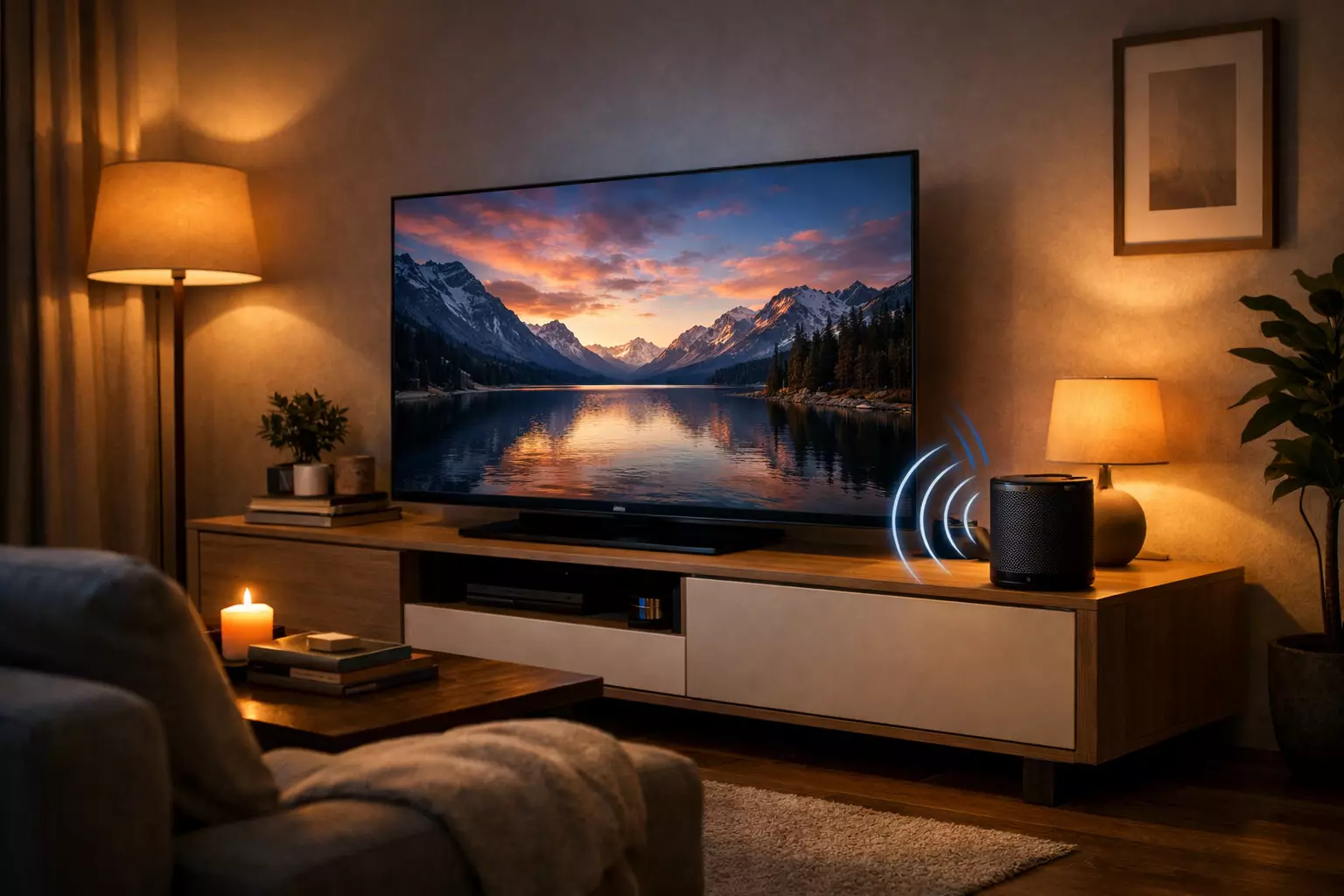
Ever wonder how to connect a wireless speaker with your tv to enhance your home audio experience. Many built-in TV speakers sound flat, especially when watching movies, sports, or playing games.
If you're wondering how to connect bluetooth speaker to tv, the good news is that there are multiple ways to do it. Some televisions already include Bluetooth, while others require a small external adapter.
In this guide you'll learn:
-
How to pair a Bluetooth speaker with TVs that support Bluetooth
-
How to connect a Bluetooth speaker to a TV without Bluetooth
-
What hardware you may need
-
Budget Bluetooth transmitters that work with most TVs
By the end, you’ll know how to connect a bluetooth speaker to a tv regardless of the model you own.
Disclosure: This post contains affiliate links. As an Amazon Associate I earn from qualifying purchases — which mostly funds coffee and experiments runing.
First check if your TV already supports Bluetooth
Before buying any extra hardware, check whether your television already supports Bluetooth audio.
Many modern TVs — especially recent smart tv models — allow wireless speaker pairing directly from the settings menu.
How to check Bluetooth capability
Try the following:
-
Open Settings on your TV
-
Navigate to Sound / Audio Output
-
Look for Bluetooth Speaker List or Bluetooth Audio
If there is an option then your TV supports Bluetooth connections.
Some brands that commonly include this feature:
-
Samsung TVs
-
LG TVs
-
Sony Android TVs
-
Some TCL and Hisense models
If you see the Bluetooth speaker option, you can proceed with pairing directly.
If you don’t see it, don’t worry we got you guys — we’ll cover how to connect bluetooth speakers to tv without bluetooth using a simple adapter later in this guide.
Method 1: Connect Bluetooth speaker to TV with built-in Bluetooth
This is the easiest method and works on many modern televisions.
The exact menu names vary slightly between brands, but the steps are generally similar.
Step-by-step pairing process
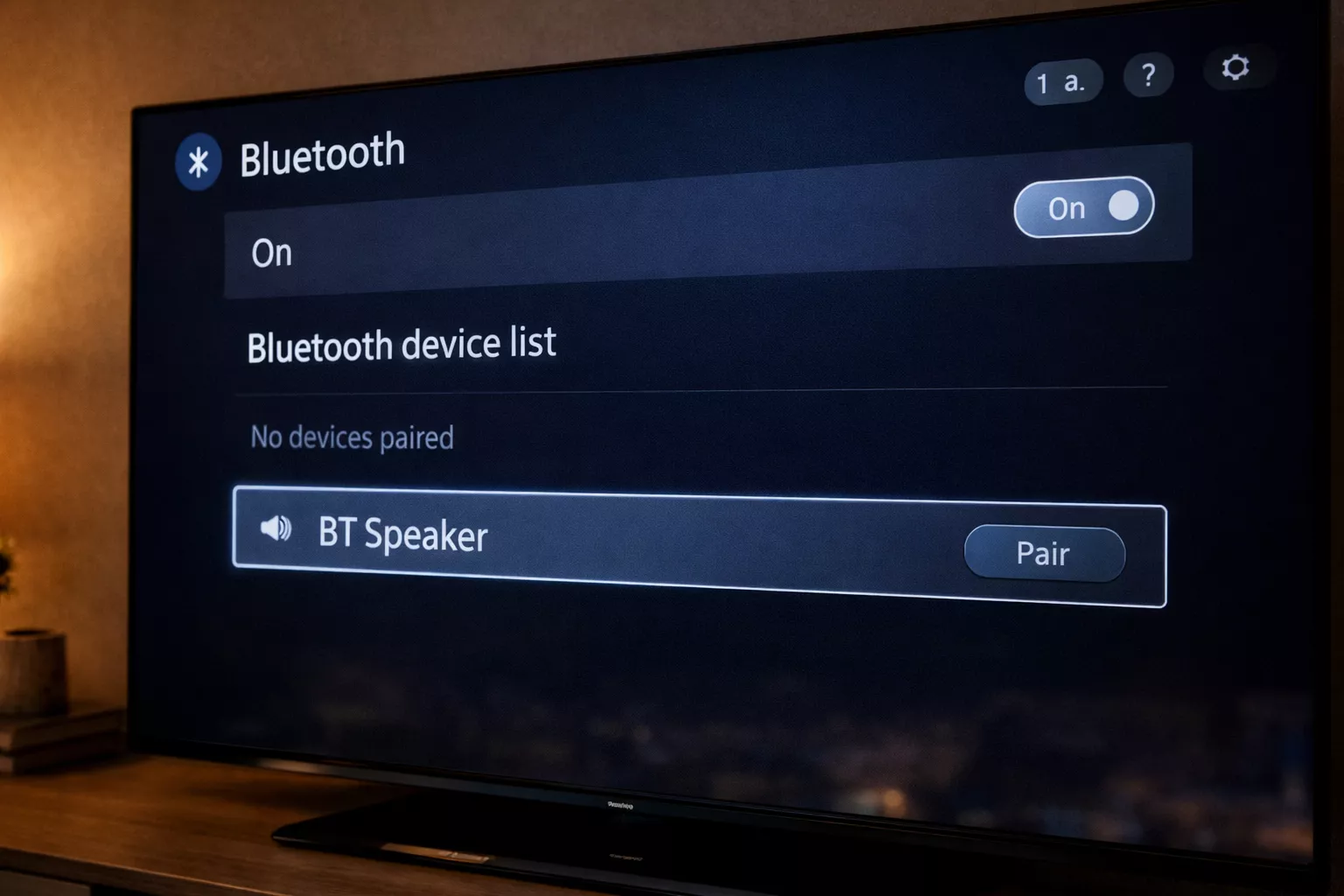
1. Turn on your Bluetooth speaker
Put the speaker into pairing mode. Most speakers do this by holding the Bluetooth button.
2. Open the TV settings
Go to:
Settings → Sound → Audio Output → Bluetooth
3. Scan for devices
Your TV will search for nearby Bluetooth audio devices.
4. Select your speaker
Choose your speaker name from the list.
5. Confirm pairing
Once paired, the TV audio will play through the speaker.
This method is ideal if you're figuring out how to connect tv to bluetooth speaker without additional hardware.
Things to remember
Even when Bluetooth is built into the TV, there can be small limitations:
-
Some TVs allow only one speaker connection
-
Audio delay can occur with certain speakers
-
Sound quality depends on Bluetooth codec support
If you experience lag, you may need a low-latency Bluetooth transmitter instead and that leads us to our second method..
Method 2: How to connect Bluetooth speaker to TV without Bluetooth
Older televisions often lack Bluetooth entirely. In that case, you’ll need a Bluetooth transmitter.
A transmitter plugs into the TV’s audio output and sends the sound wirelessly to your speaker.
This is the simplest solution when learning how to connect wireless speaker to tv without bluetooth.
What a Bluetooth transmitter does
A transmitter is a device that transfers the audio from the TV to the connected Bluetooth device/speakers.
It typically connects through:
-
Optical (TOSLINK)
-
AUX / 3.5 mm
-
RCA
Once connected, it streams audio to any compatible Bluetooth speaker or headphones
This approach works for:
-
Older TVs
-
Budget TVs
-
Gaming monitors
-
Projectors
If you're exploring how to connect bluetooth speaker to smart tv without bluetooth, this is the most reliable solution.
By the way, if you are confused about which transmitter is good to buy or you are just new to this, below are two transmitter options that are widely available and commonly used with TVs shortlisted by making sure they don’t pinch your pocket.
Best bluetooth transmitters you can use for this method
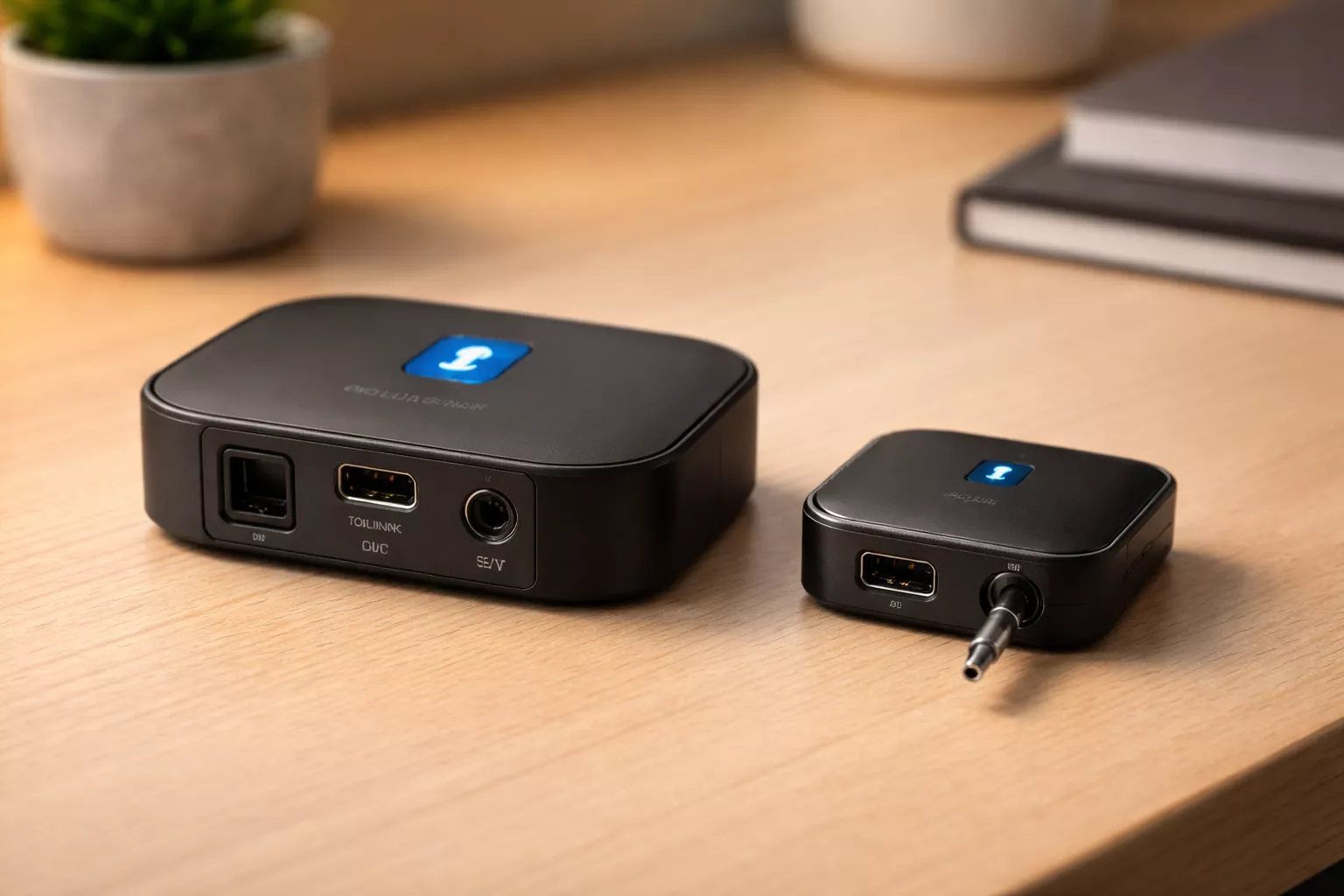
Disclaimer: Images in this guide are for illustration purposes only. For the exact product design and latest specifications, please refer to the official product page via the links provided.
1Mii B03 Bluetooth Transmitter Receiver (Best value option)
The 1mii b03 long range bluetooth transmitter receiver supports:
-
Bluetooth 5.x
-
AptX Low Latency (which can help reduce audio delay with compatible speakers)
-
AptX HD
-
Dual pairing (allows to connect two speakers/headphones at the same time)
Additional specs:
-
Optical (TOSLINK), RCA, and AUX inputs (making it compatible with most TVs)
-
Range: Upto 70 m / 230 ft in open space.
-
Typical price: $45–$70 (US) • ₹3500–₹5500 (India)
Downsides: Slightly larger device and requires USB power.
You consider this if you are willing to invest a little and get the best value product, reliable performance & that too at a reasonable price.
Check the availability on Amazon
UGREEN Bluetooth 5.3 Transmitter Receiver (Cheapest option)
The ugreen 3.5 mm bluetooth transmitter and receiver has:
-
2-in-1 transmitter and receiver (works with TVs, PCs, and stereo systems)
-
Bluetooth 5.3
-
supports aptX Low Latency / aptX HD
-
And usually connects via AUX.
Price: around $30–$40 internationally • ₹3000–₹3500 in India.
Trade-offs: aptX LL works only with compatible speakers, often no optical input, shorter range than premium adapters, and may require charging or USB power.
If you have trouble with the budget and want to get the core results with premium features at a low price, you can try this. It is the best option at this range. However there are other cheaper options but most are crap or the performance is not upto the mark so, be extra careful while buying any other transmitter.
Check the product out on Amazon
Step-by-step guide: Connect Bluetooth speaker using a transmitter
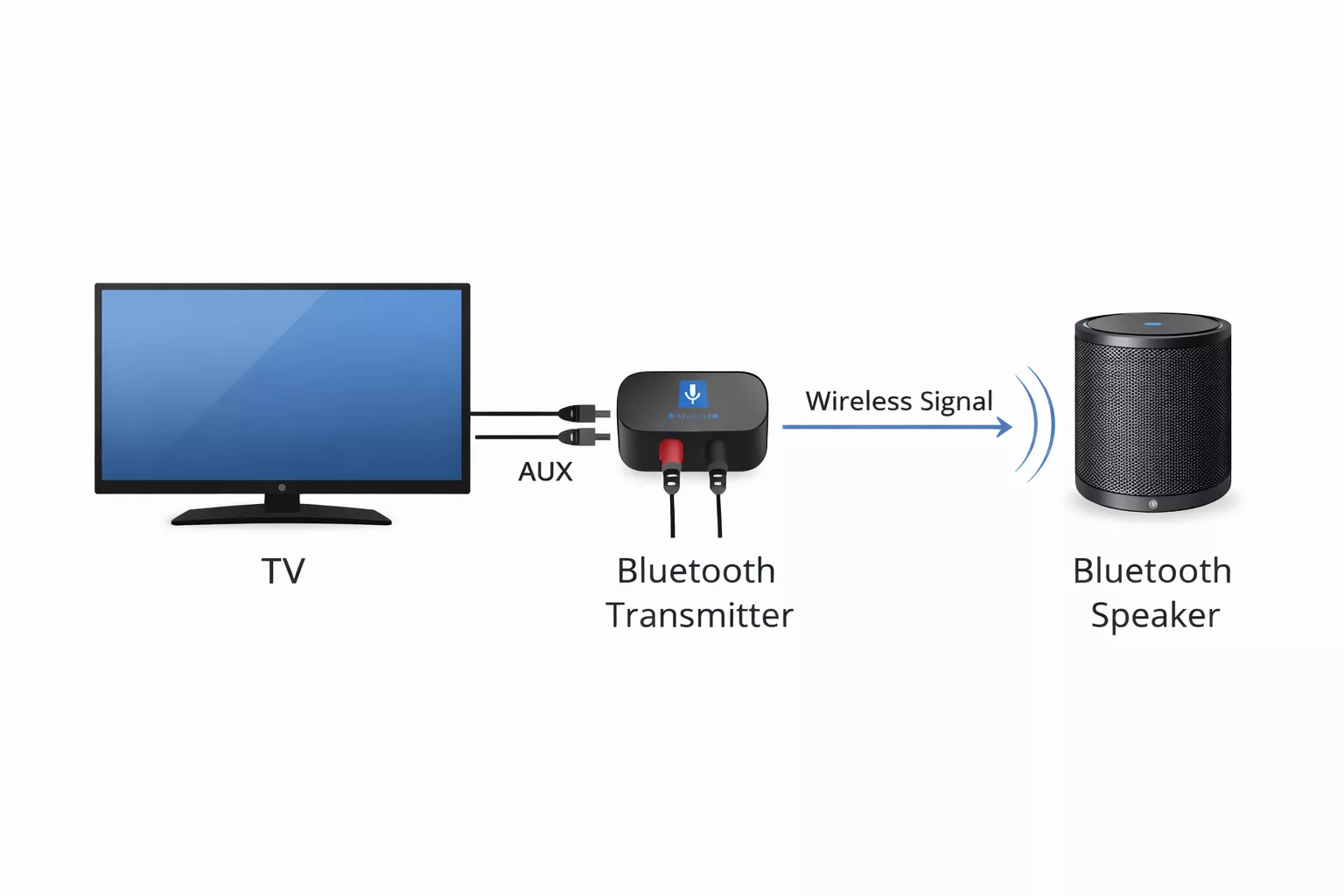
1. Connect the transmitter to your TV
Plug the Bluetooth transmitter into the TV’s audio output. Most transmitters support:
-
Optical (TOSLINK)
-
AUX / 3.5 mm
-
RCA
2. Power on the transmitter
Many adapters require USB power.
You can power it using the TV’s USB port or a wall adapter.
3. Set the device to transmitter (TX) mode
If the adapter is a 2-in-1 transmitter/receiver, switch it to TX mode so it sends audio from the TV.
4. Put your Bluetooth speaker in pairing mode
Turn on the speaker and activate Bluetooth pairing. The indicator light usually starts blinking.
5. Wait until the devices to connected
The transmitter will automatically search and connect to the speaker.
Once paired, your TV audio will play through the Bluetooth speaker.
6. Adjust TV audio output if needed
If sound still comes from the TV speakers, go to Settings → Sound → Audio Output and select external audio.
Guide for choosing the right transmitter for your TV
Both adapters above help solve the same problem, but they suit different situations.
Choose the 1Mii adapter if you want
-
Optical audio support
-
Strong wireless range
-
Dual speaker pairing
-
A more flexible TV connection setup
Choose the UGREEN adapter if you want
-
The cheapest working solution
-
A compact Bluetooth adapter
-
A simple AUX-based connection
In short:
-
Living room setups → 1Mii option
-
Basic setups → UGREEN option
Both of them allow connecting TV to wireless speakers even when there is no built-in option.
Common issues when connecting Bluetooth speakers to TVs
Even when everything is connected correctly, some users run into minor issues.
Here are the most common ones.
Audio delay (lip-sync problems)
Bluetooth audio can sometimes introduce a small delay.
Solutions include:
-
Using transmitters with aptX Low Latency
-
Moving the speaker closer to the transmitter
-
Reducing interference from other wireless devices
Speaker not appearing during pairing
Try:
-
Restarting the speaker
-
Resetting Bluetooth pairing
-
Moving the speaker closer to the TV
Volume is too low
Some TVs have separate audio output controls.
Check:
-
TV audio output settings
-
Speaker volume
-
Bluetooth device settings
Frequently Asked Questions
Is there any way to connect a bluetooth speaker to a tv without Bluetooth?
You can use a Bluetooth transmitter that plugs into the TV’s audio output (AUX, RCA, or optical). Then the transmitter transfers audio wirelessly to the speaker.
How do I connect my smart tv to a bluetooth speaker?
Open Settings → Sound → Bluetooth devices, enable pairing mode on the speaker, then select it from the device list.
Can any TV connect to a Bluetooth speaker?
Yes. If the TV doesn't have a built-in Bluetooth system then you can use a Bluetooth transmitter which gets connected to the audio output.
Will Bluetooth cause audio delay on TV?
Some setups may experience slight delays. Transmitters that are compatible with aptX Low Latency can solve this issue.
Can I pair two Bluetooth speakers to my TV
Some of the transmitters allow dual pairing which means two speakers or headphones can be connected together with the transmitter to receive audio from the TV.
Final thoughts - conclusion
Learning how to connect bluetooth speaker to tv is surprisingly simple once you know the available options.
If your TV already supports Bluetooth, pairing a speaker takes just a few steps in the settings menu.
If it doesn't, a small Bluetooth transmitter can solve the problem and work with almost any television like 1Mii B03 which have greater compatibility and greater range. Moreover compact options like UGREEN Bluetooth transmitters are affordable and more convenient.
With the right setup you can have better TV audio without having to swap out your television or sink money into a full sound system.
Comments (1)
Leave a Comment
I was looking over your website and noticed a few specific areas where optimization could boost your Google rankings and attract higher-quality leads.
I have put together a brief SEO strategy and pricing proposal designed to help scale your organic growth.
Would you be open to reviewing it?
Best regards,
David