
Social Media Management for Small Business: Tools, Pricing, and Smart Decisions in 2026


- 1. Why Social Media Management Is Difficult for Small Businesses (Reality Check)
- 2. What Social Media Management for Small Business Actually Includes
- 3. DIY vs Tools vs Services: Which One Fits Your Business?
- 4. Best Social Media Management Tools for Small Business (Real Tools, Real Pros & Cons)
- 4.1. 1. Buffer
- 4.2. 2. Hootsuite
- 4.3. 3. Sprout Social
- 4.4. 4. Zoho Social
- 4.5. 5. Later
- 5. Social Media Management Pricing: Tools vs Services Tool Pricing (Monthly)
- 6. Social Media Management Services Pricing
- 7. Social Media Marketing Packages for Small Business: What to Look For
- 8. How to Manage Social Media for Small Business (Practical Framework)
- 9. How to Be a Social Media Manager for Small Business
- 10. Common Mistakes Small Businesses Make
- 11. FAQ: Social Media Management for Small Business
- 11.1. How to manage social media for small business efficiently?
- 11.2. Can you schedule posts on Instagram?
- 11.3. What is average social media management pricing?
- 11.4. Are social media management services worth it?
- 11.5. What does a small business social media manager do?
- 12. Final Thoughts: Tools First, Services Later
Social media management for small business sounds simple—until you’re the one doing it.
Posting regularly, replying to comments, tracking performance, and staying consistent across platforms like Instagram, Facebook, and LinkedIn quickly becomes overwhelming, especially when social media isn’t your full-time job.
I’ve worked with founders, local service businesses, and small teams who all faced the same challenge:
they knew social media mattered, but they didn’t know which tools to use, how much to spend, or when outsourcing actually makes sense.
This guide is written to answer exactly that—clearly, honestly, and without sales fluff.
Why Social Media Management Is Difficult for Small Businesses (Reality Check)

Small businesses don’t fail at social media because they’re bad at marketing.
They struggle because they lack time, systems, and clarity.
Common issues I see repeatedly:
- Posting only when there’s spare time
- Inconsistent branding and messaging
- No content plan, only reactive posts
- Confusion between tools and services
- Spending money on the wrong software
That’s why effectively managing social media for small businesses is less about trends and more about choosing the right setup early.
What Social Media Management for Small Business Actually Includes
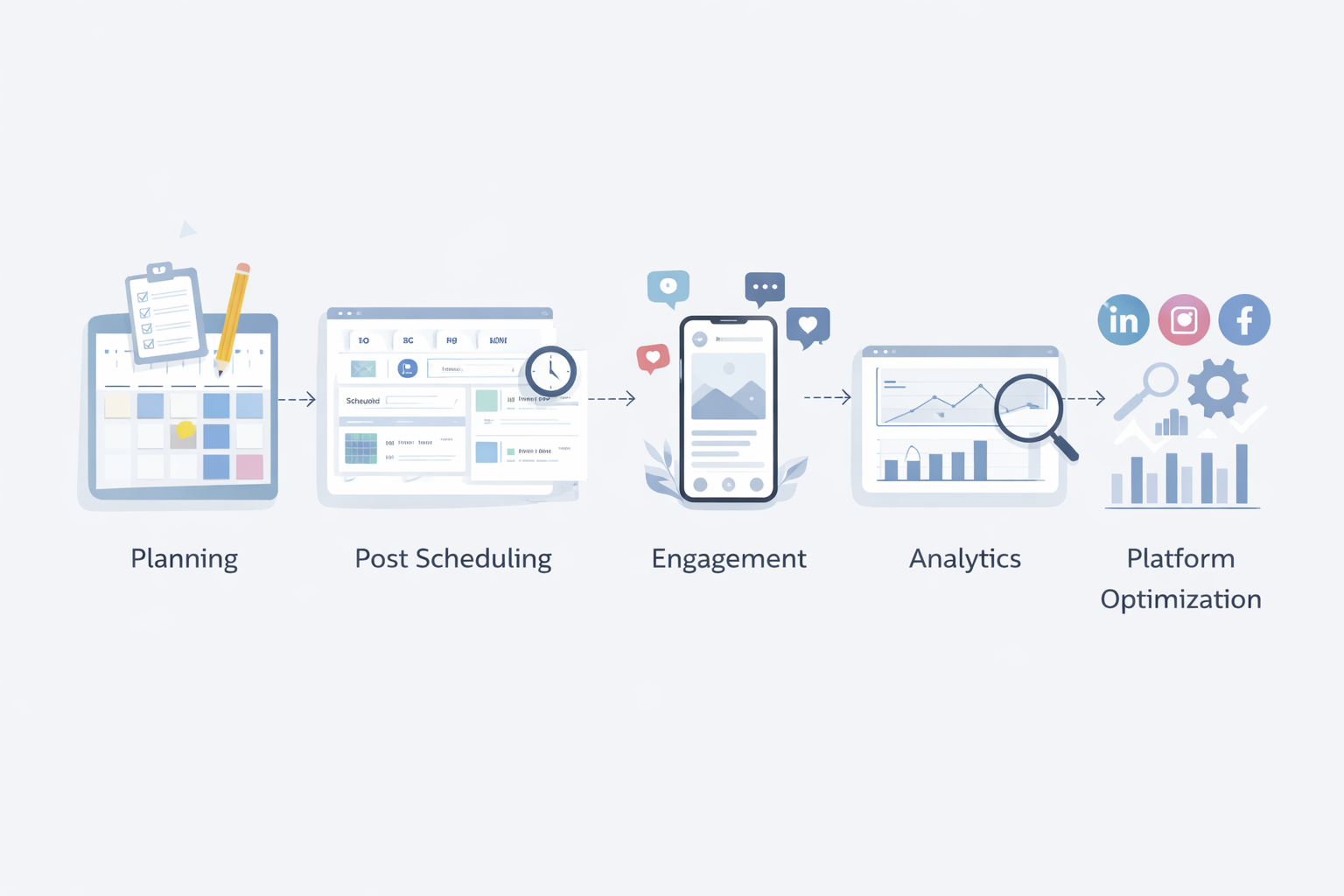
Before tools or services, let’s set expectations.
Real social media management involves:
- Content planning and topic selection
- Caption writing and visual creation
- Scheduling posts in advance
- Monitoring comments and DMs
- Reviewing analytics and engagement
- Platform-specific optimization
Whether you do this yourself, use a social media management tool for small business, or hire a social media management service, these tasks still exist.
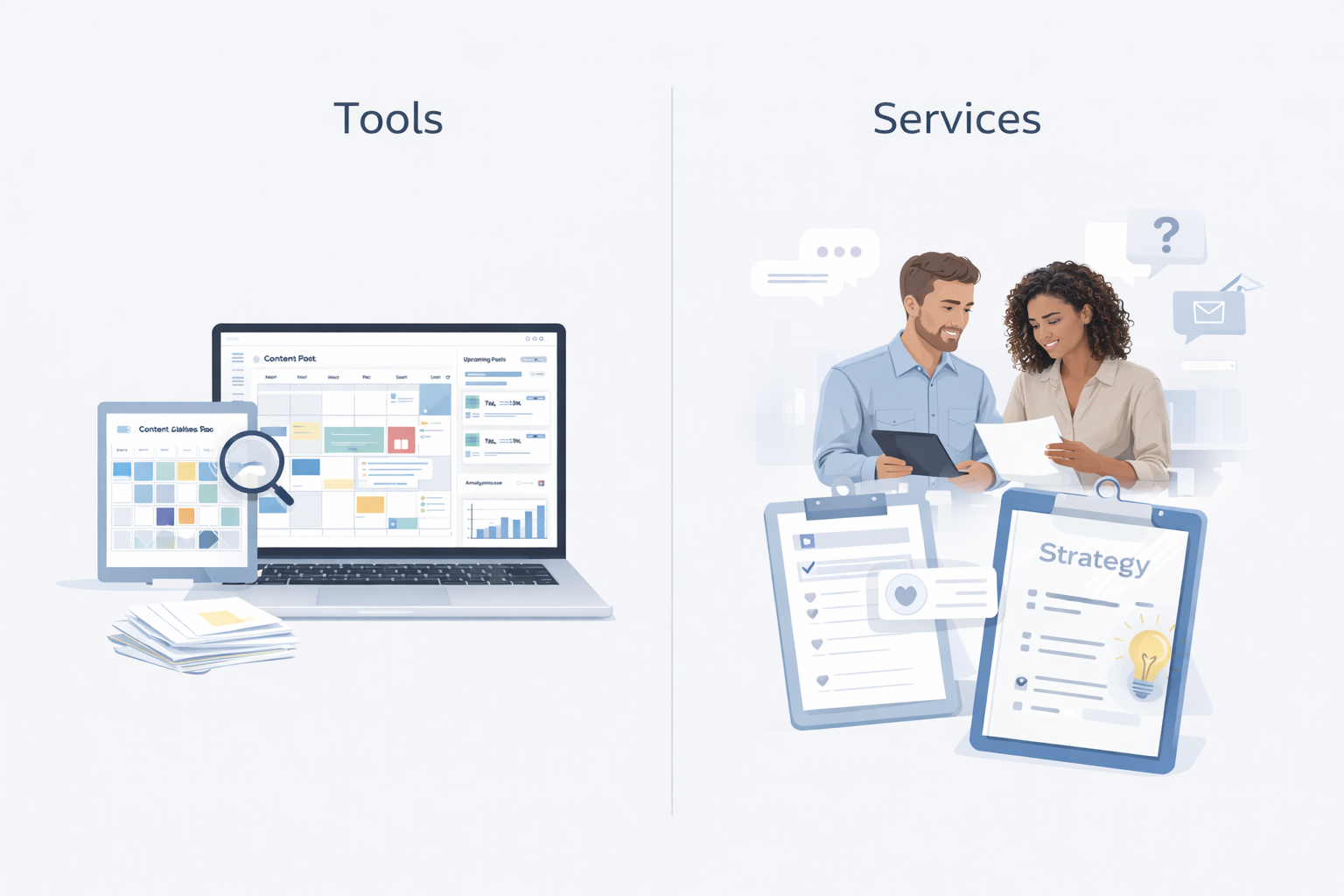
DIY vs Tools vs Services: Which One Fits Your Business?
1. DIY (Manual Posting)
Best for:
- Very early-stage businesses
- One platform only
- Zero budget
Downside:
It rarely scales and usually leads to burnout.
2. Social Media Management Tools for Small Businesses
Best for:
- Owners who want control
- Small teams
- Consistent posting without daily effort
For most SMBs, this is the sweet spot.
3. Social Media Management Services
Best for:
- Service businesses
- Founders who hate content creation
- Businesses ready for monthly investment
A social media management service for small business saves time—but only when expectations are realistic.
Best Social Media Management Tools for Small Business (Real Tools, Real Pros & Cons)
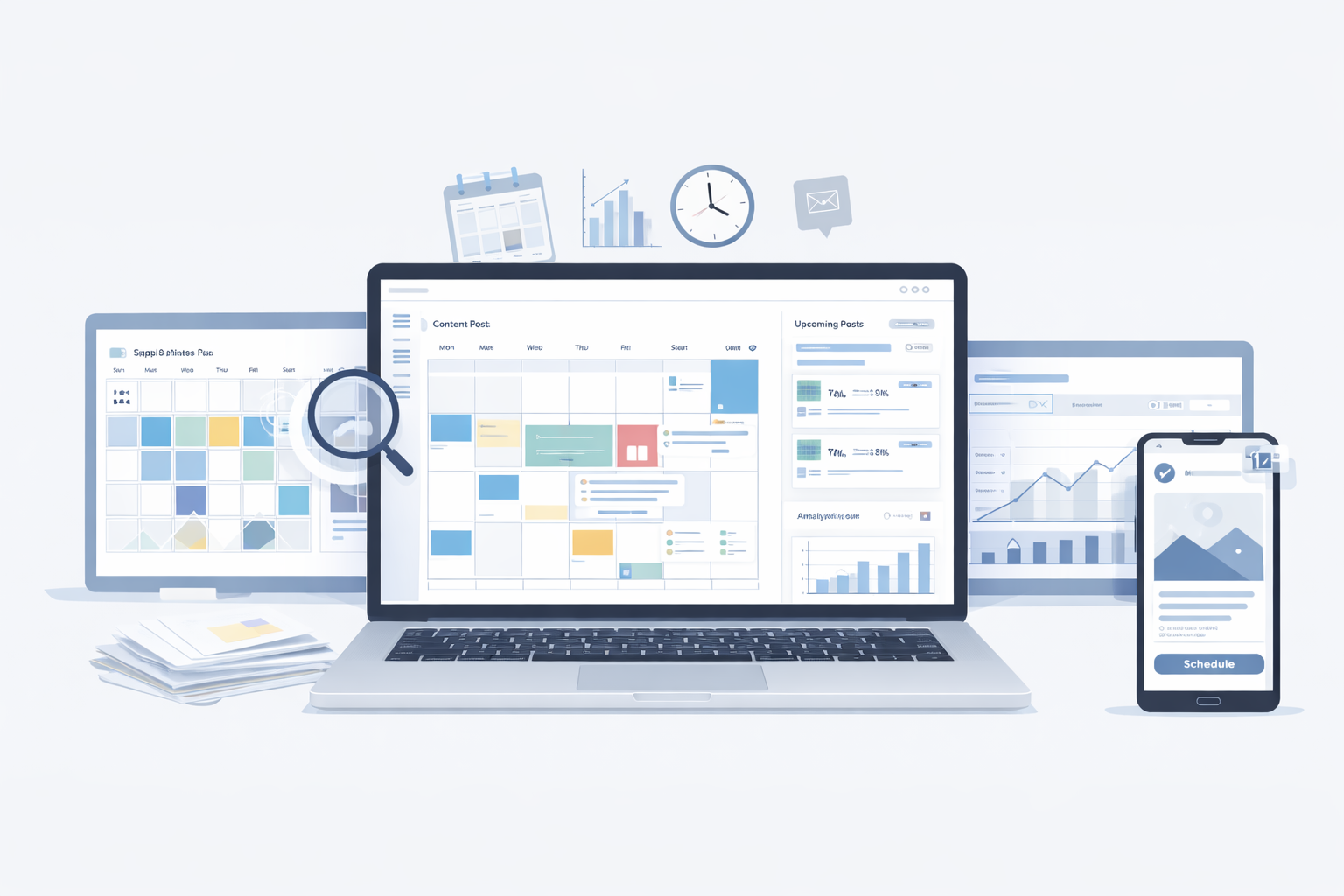
This section answers what most readers actually want to know.
Below are widely used, proven social media management tools that small businesses rely on today.
1. Buffer
Best for: Solo founders and very small teams
Pricing:
- Free plan (limited)
- Essentials plans: start from $5/month
- Team plan: range around $10/month
Pros:
- Extremely easy to use
- Clean scheduling calendar
- Reliable Instagram and Facebook scheduling
Cons:
- Limited analytics
- Not ideal for larger teams
Verdict:
Great entry-level social media management tool for small business if simplicity matters more than deep analytics.
2. Hootsuite
Best for: Small teams managing multiple platforms
Hootsuite Pricing:
- Hootsuite free plan: Limited free trial for 30 days after standard cost applied.
- Standard plan: Range from $21-22/month
- Advanced plan: Typically between $83-84/month
- Enterprise plan: Custom Pricing
You can find updated plan limits in Hootsuite’s official pricing information.
Pros:
- Supports many platforms
- Strong scheduling and monitoring
- Solid reporting features
Cons:
- Expensive for solo businesses
- Interface can feel heavy
Verdict:
Better suited for growing teams than bootstrapped founders.
3. Sprout Social
Best for: Businesses that care about analytics and engagement
Sprout Social Pricing:
- Sprout social free Plan: 30 day free trial after that respecting charges as per chosen plan.
- Standard Plan: $199 per seat/month
- Professional plan: $299 per seat/month
- Advanced plan: $399 per seat/month
- Enterprise plan: Custom pricing
Advanced reporting features are outlined in Sprout Social’s pricing details.
Pros:
- Excellent analytics and reporting
- Strong engagement inbox
- Professional-grade features
Cons:
- High pricing
- Overkill for many small businesses
Verdict:
Powerful, but only worth it if social media directly drives revenue.
4. Zoho Social
Best for: Budget-conscious businesses and Zoho users
Zoho Social Pricing:
For business:
- Free plan: Limited feature
- Paid plans: typically range from $7-29/month
For Agencies:
- Paid plan: Around $153-230/month
Check official plan details from Zoho Social
Pros:
- Affordable
- Good scheduling and analytics
- Integrates well with Zoho ecosystem
Cons:
- UI is functional, not premium
- Limited advanced features
Verdict:
One of the best value social media management tools for small businesses on a tight budget.
5. Later
Best for: Instagram-focused businesses
Pricing:
- Free plan: As 14 day free trial
- Paid plans: start around $19-83/month
Features are described in Later’s official pricing details.
Pros:
- Visual content calendar
- Strong Instagram scheduling
- Easy media management
Cons:
- Limited non-Instagram features
- Analytics are basic
Verdict:
Ideal if Instagram is your primary growth channel.
Social Media Management Pricing: Tools vs Services Tool Pricing (Monthly)
Most social media management tools for small business fall into three tiers:
- Entry-level: Low cost, basic features
- Mid-tier: Best balance for SMBs
- Advanced: Designed for teams and agencies
For most small businesses, mid-tier plans are enough.
Social Media Management Services Pricing
Social media management pricing for services depends on:
- Platforms included
- Posting frequency
- Content type (static vs video)
- Engagement handling
These pricing differences are common across the digital marketing industry pricing benchmarks and usually reflect service scope, content volume, and platform coverage.
If you’re comparing social media marketing services pricing, always ask what’s included—cheap services often cut quality.
Social Media Marketing Packages for Small Business: What to Look For
When evaluating social media marketing packages for small business, focus on:
- Clear deliverables
- Ownership of content
- Revision limits
- Performance reporting
Avoid vague “everything included” promises.
How to Manage Social Media for Small Business (Practical Framework)
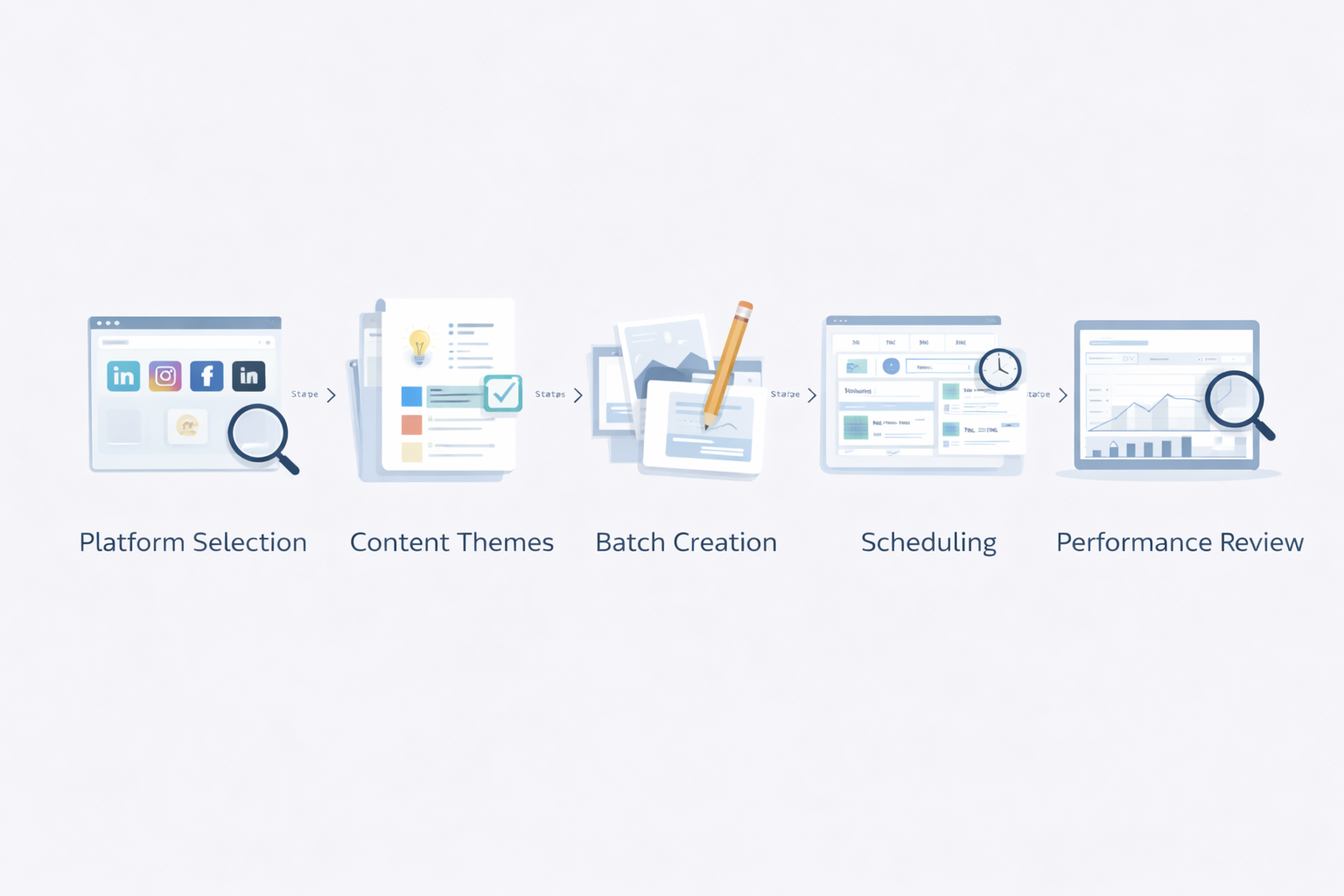
If you’re doing this yourself or using tools:
- Choose 1–2 platforms
- Define 3–4 content themes
- Batch-create content weekly
- Schedule everything in advance
- Review performance monthly
Consistency beats creativity.
How to Be a Social Media Manager for Small Business
If you’re becoming a small business social media manager, understand this:
Small businesses value:
- Reliability
- Clear communication
- Measurable progress
Tools help—but business understanding matters more.
Common Mistakes Small Businesses Make
- Posting only promotional content
- Switching tools too often
- Ignoring analytics
- Expecting fast growth
Avoid these and you’re already ahead.
FAQ: Social Media Management for Small Business
How to manage social media for small business efficiently?
Use a social media management tool, batch content weekly, and focus on fewer platforms.
Can you schedule posts on Instagram?
Yes. Through most of the tools you can schedule instagram posts, though some features may require mobile approval. In fact all the tools mentioned in the above list support instagram scheduling.
What is average social media management pricing?
Tools are affordable monthly; services vary based on scope and content volume.
Are social media management services worth it?
Yes—when goals, budget, and expectations are aligned.
What does a small business social media manager do?
They plan, schedule, engage, analyze, and align social media activity with business goals.
Final Thoughts: Tools First, Services Later
At TrendVerse, we believe the goal of social media management for small business isn’t to be everywhere.
- It’s to build a system that:
- Saves time
- Fits your budget
- Supports long-term growth
Start with tools.
Upgrade to services when it makes sense.
That’s how smart small businesses scale social media—without burning out.



Comments (0)
Leave a Comment